Reading Time: 3 minutes
How to Improve/Fix Your Android Flickr App
Flickr used to be the greatest site on the internet to publish your photos and show your art. Over the years, other services/websites took the #1 spot from Flickr.
Flickr changed ownership a few times over the years and is currently owned by SmugMug, which acquired Flickr in 2018. But even before that, development on Flickr was stagnant. The website hasn’t changed much over the years. Their API is still very bad if it comes to photo uploads other than the website.
Same issue is with the Flickr apps. They get updated every now and then but still have many bugs. I have the Flickr Android app installed on my smartphone and that’s where the issue starts.

The Flickr Android App Issue
If things happen on Flickr, you get notifications via email, if you set up to receive notification emails. No notifications are pushed through the app. Which is sad and bad. If you are not familiar with what kind of notifications you can get, here are a few examples. You would get notified if someone liked your pictures, if you are invited to add your pictures to a group, if someone comments on your pictures and so on.
Now these emails contain links to either the image in question, the user who asked you to add your photo to a group, the group link and so on.
If you tap on any of the links in the email on your smartphone, these links will open in the Flickr app. For links to a picture or user, this works just fine, and the corresponding information will load in the Flickr app.
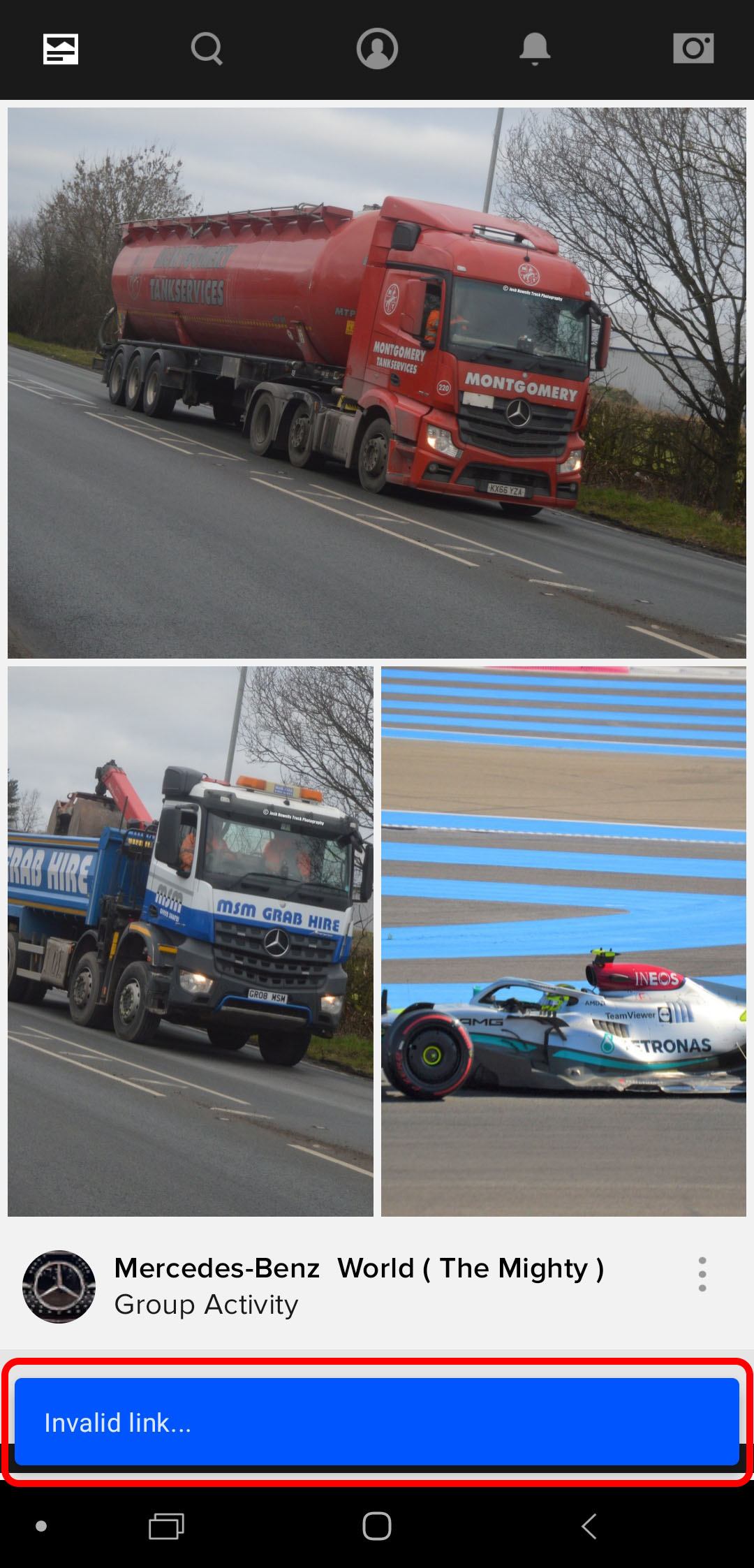
Now for example links to a group will open the Flickr app and you will be greeted with an “Invalid Link” message. Don’t worry, the link is not invalid, it’s just the badly programmed app which can’t handle the link.
Here is how you fix the Flickr Android App issue.
Unfortunately, this will change the way these links are handled. Instead of opening the Flickr app, it will now open your browser and you can view all the links. Only downside, you might have to log-in for some of the links to work.
- Open your phone’s settings and go to Apps.
- Find the Flickr app and click on it.
- Now you see a wealth of information. Find the “Defaults” section and click on “Set as default“.
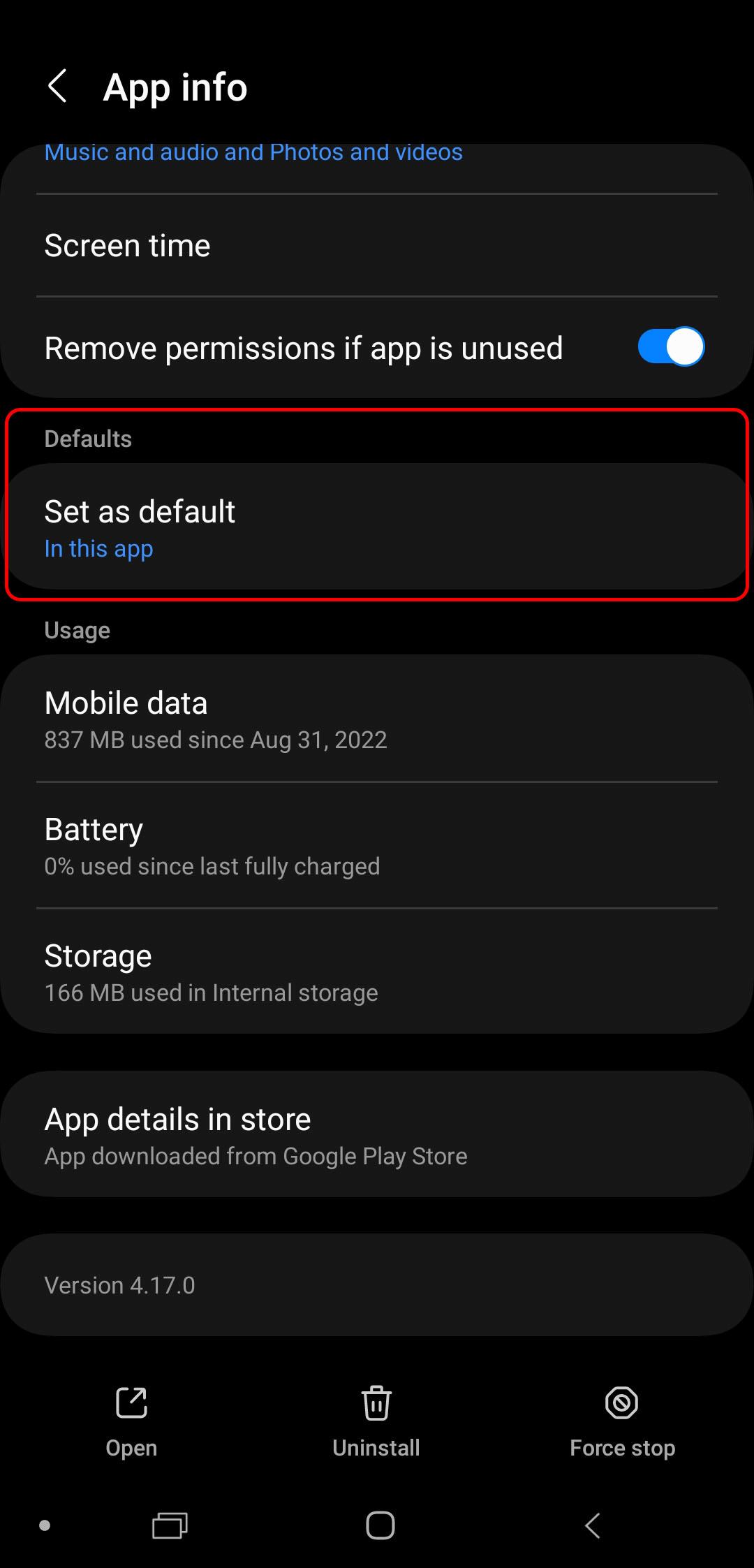
- On the next page you see a toggle labeled “Open supported links“. Disable this setting.
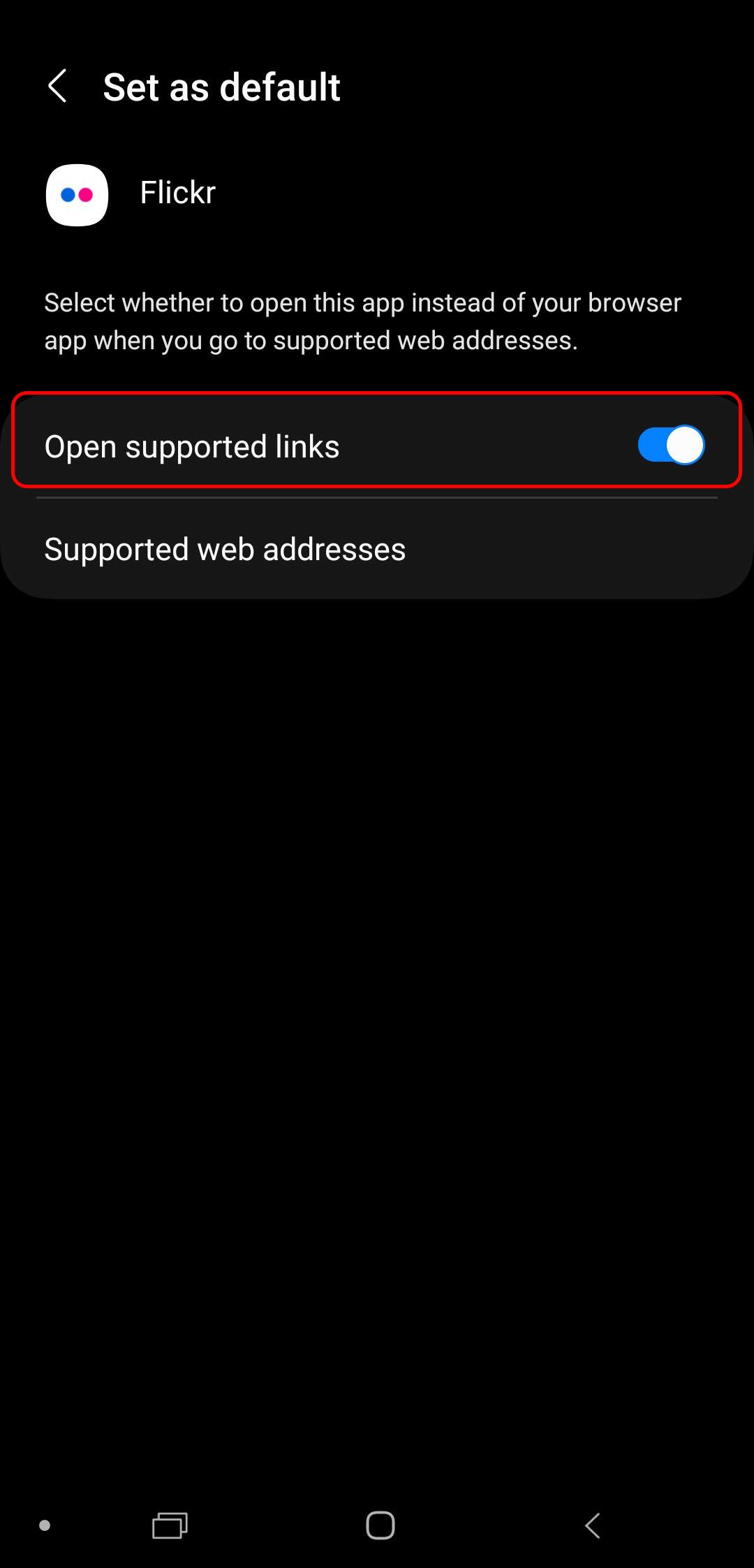
- Congratulation. You are all set. Links will now open in your browser on your phone rather than opening the Flickr Android app. You can still use the app as you have done before. Nothing will change how the app behaves. This only deactivated opening links in emails, messengers like WhatsApp and so on from opening the Flickr app.
I had contacted Flickr about that issue, and they weren’t aware and even trying to describe the issue didn’t help them to understand. Even though Flickr is now owned by SmugMug, not a lot of positive improvements have been made. Heck, they only made negative improvements. Increasing the price year after year. Reducing the upload limits for free users. As mentioned, API is still horrible to upload pictures. I might even go with a self-hosted solution for the future, as I am in full control of everything then. But Flickr is still used by a lot of people and if you are struggling with the Android app, I hope I was able to help you. Of course, it would be better, if the app actually would support the links natively.

Peter is an award-winning photographer who travels all over the world to capture the beauty of our planet as well as the achievements of humanity. Follow Peter on his travel blog Gate to Adventures for more amazing places to go and explore.